DC++ is a very old file sharing software still used today. You can find amazing files inside special hubs. I used DC++ in 2004. I’m surprised it’s still active with many users. Sometimes it can be really difficult to make this software work. You need the right settings. I don’t recommend using this software without VPN. Your network can be hacked if you expose your ip to unknown people inside DC++ HUBS.. You can never trust randoms on the internet. I did some testing and actually i found perfect settings to make DC++ work with VPN on. I used TORGUARDVPN this provider worked best with dc++.
Let’s get started.
2. Download latest DC++ Client from here and install in your PC
3. Many hubs servers in DC++ will not let you connect if you not shared anything. If you have some games share them. It can be only few gigabytes. This way it will let you join more servers. [Don’t forget Set Nickname also].
You can start using DC++ straight away but you’ll stay in Passive mode. It means you’ll get less search results lower download speeds and will not be able to share files with others in hub. Active mode is what you want.
[Active mode will only works if your VPN provider has Port forwarding feature. Torguard VPN will do the job i was lucky to get 6 months for $9. It’s cheapest and safest with port forwarding. Remember plans not always discounted :).
Go to Torguard VPN website and open ports [5000] [5001] We gonna need only two ports.
[Remember ports will be active only when you start DC++ then they will open for you.]
GO TO TORGUARD Website and click on SERVICES>>>>> REQUEST PORT FORWARDING SELECT WIREGUARD. ADD 5000 and 5001 ports as shown in the picture. Select Country it will give you random ip. Press submit request it’s instant no need to wait automatically approved.
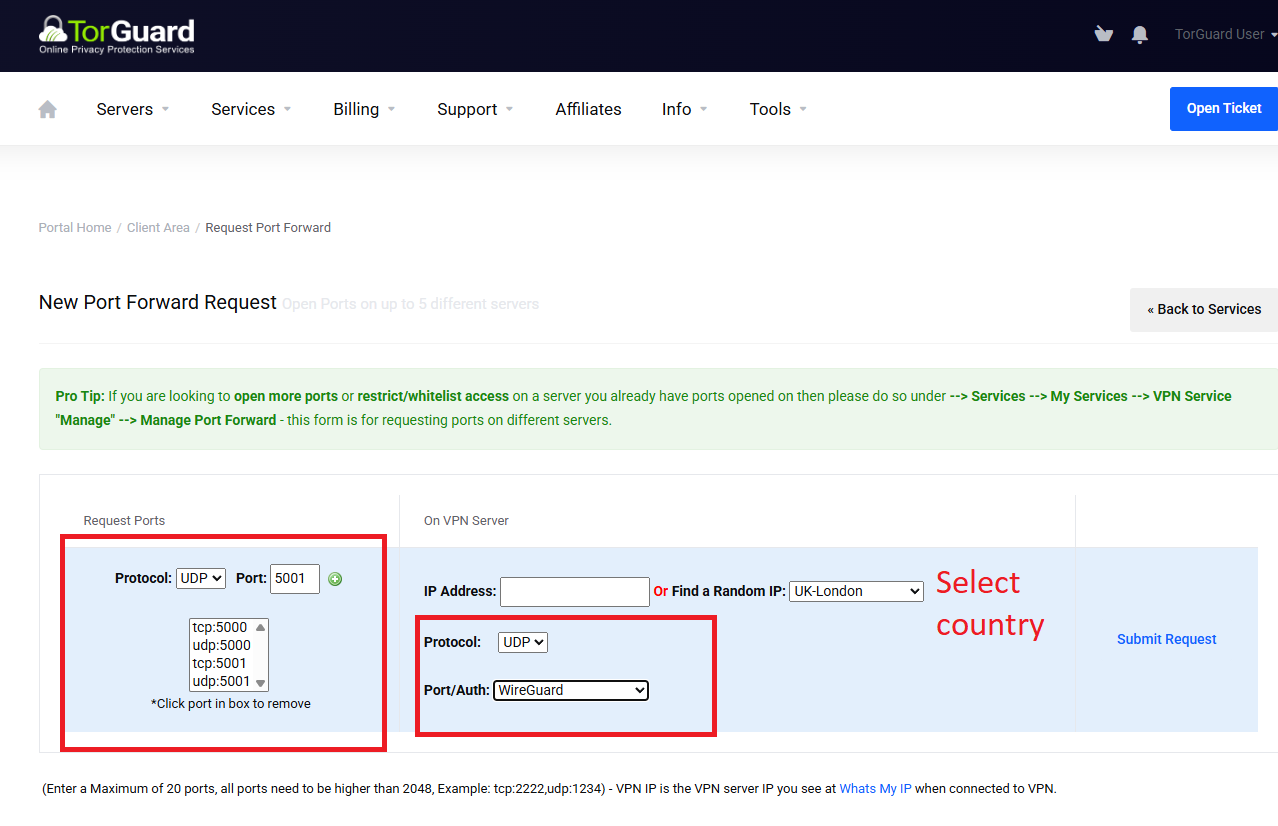
You will get ip from torguard usually will be sent to your email and you’ll see on the website also. Select country you selected and enter any name then enter ip in the name field. Select wireguard supported and save it. Connect to your VPN server with ports opened.
I recommend installing Wireguard Client instead of using Torguard GUI cause it’s not very good.
Download Wireguard Client from here
Get wireguard config files from torguard website and download this file.
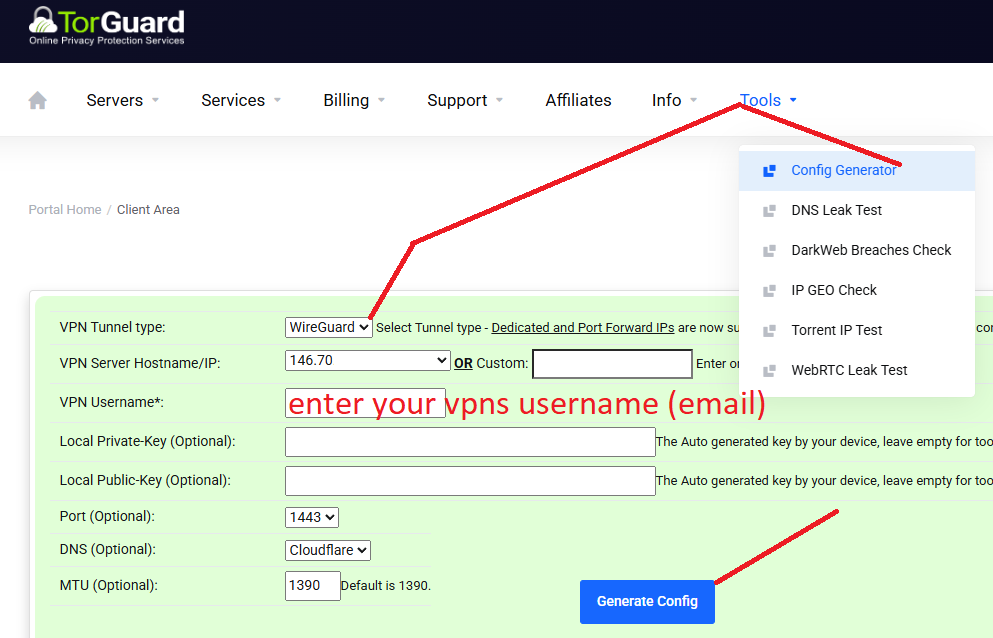
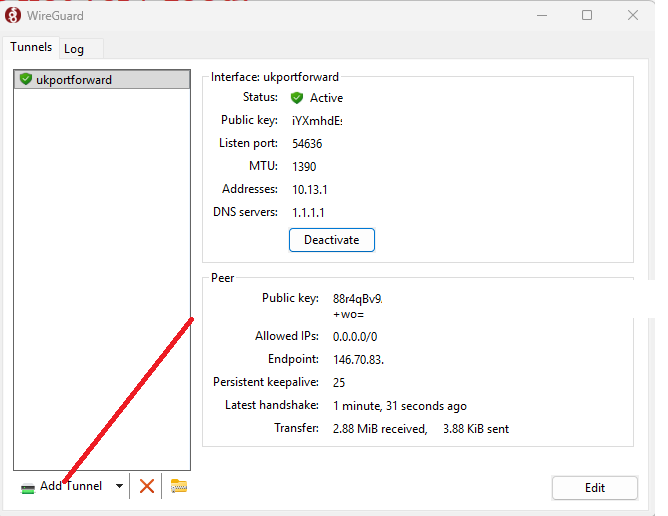
Load wireguard config file in the application. Press add tunnel and select your file. Press on connect button.
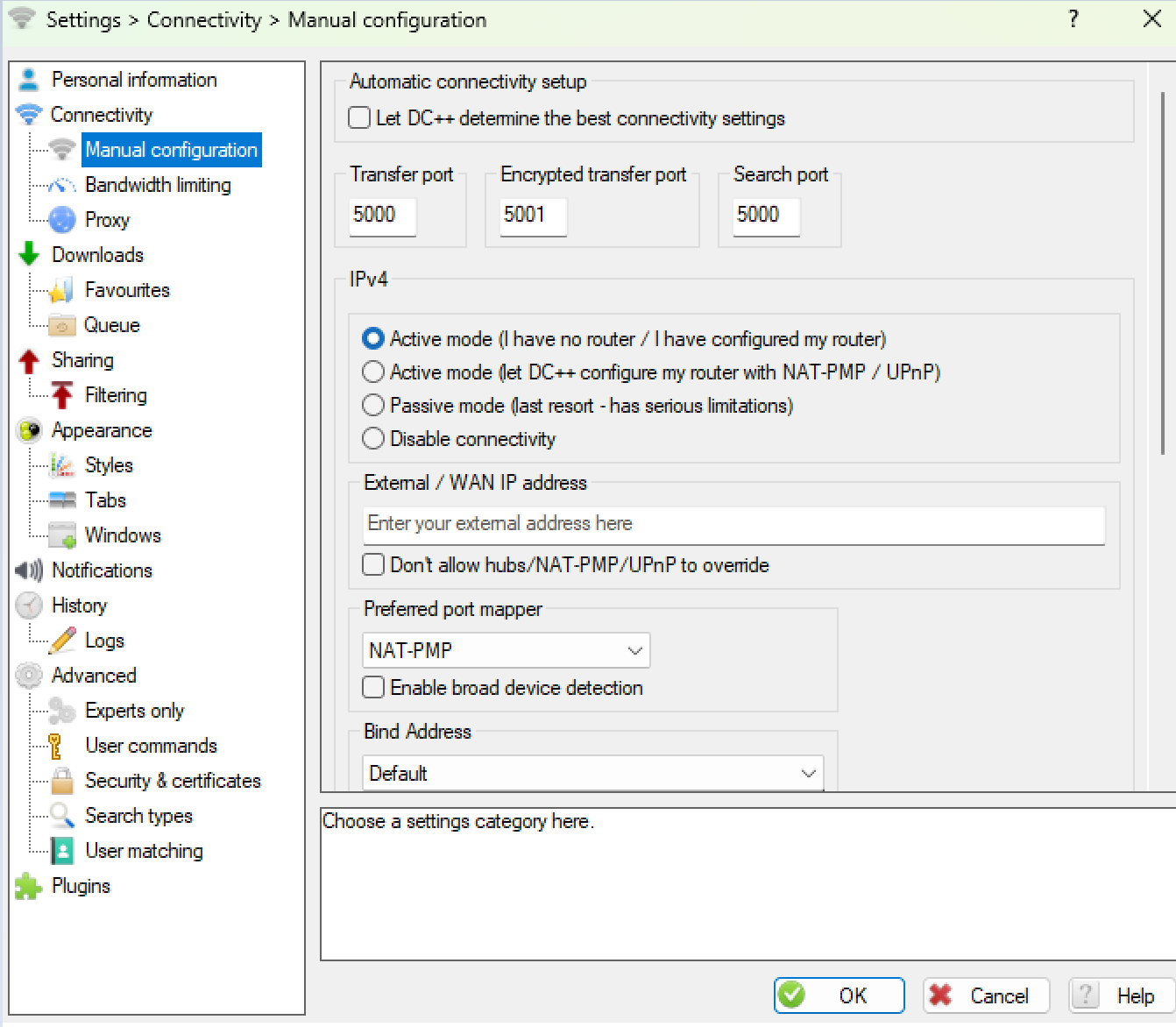
Inside DC++ enter Transfer Port 5000, Encrypted Port 5001, and search port 5000. [Set Active mode i have a router]. press okay. Restart DC++ Enjoy.
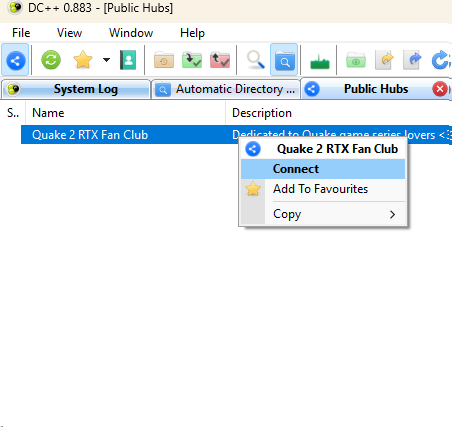
HOW TO JOIN HUBS IN DC++ [Go to public hubs you’ll see a list of servers]. Select a server and click connect simple as that.
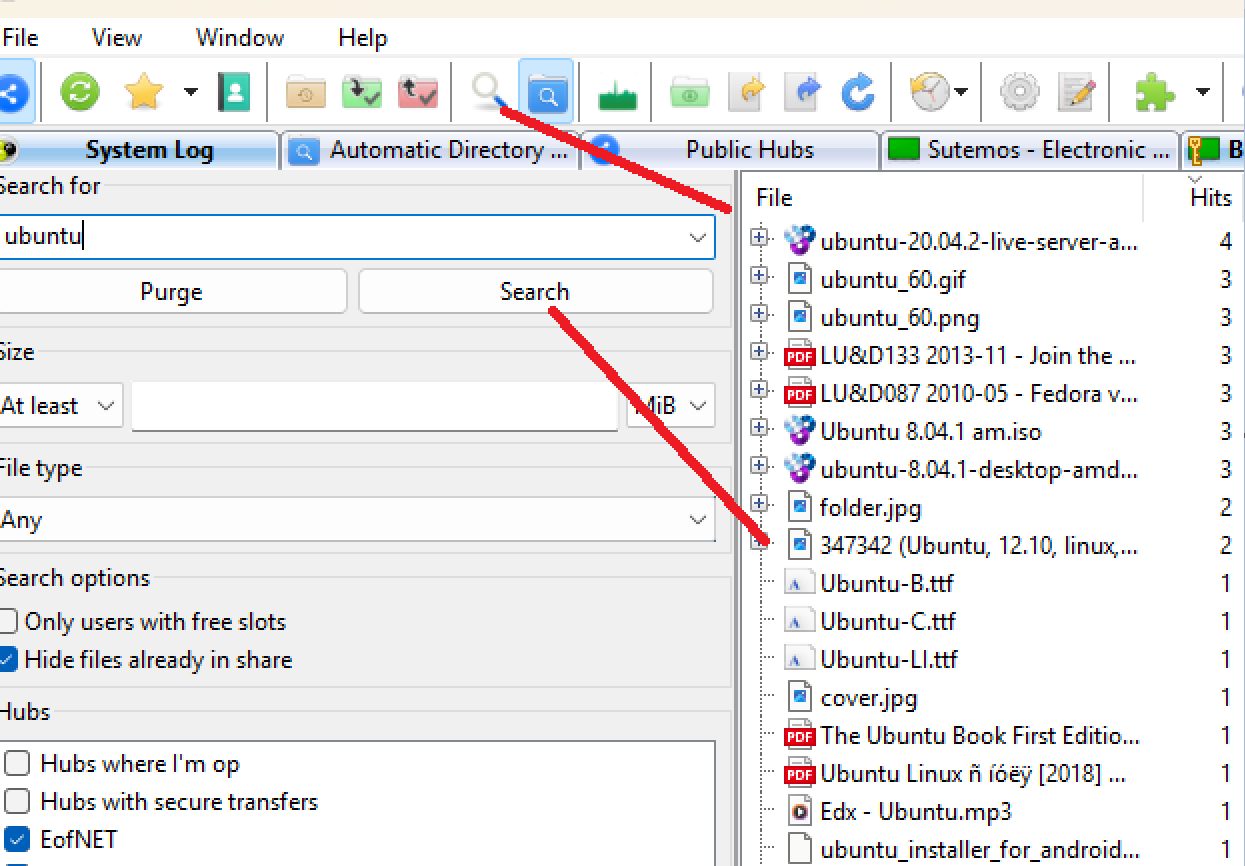
HOW TO Search files inside Hubs.
[Press on magnifying Glass and enter file name] Make sure you connected to hubs before you do that.
[That’s it i hope you enjoyed this tutorial, Stay safe online.]
About the Author